
Apple Intelligence Goes Mainstream: AI-Powered Features Transform iOS Experience in 2026

Apple Intelligence has officially transitioned from beta to mainstream, bringing revolutionary AI-powered personal assistant features, advanced writing tools, and on-device learning capabilities to iPhone, iPad, and Mac users across the United States and globally.
What Is Apple Intelligence and Why It Matters Now
Since its initial announcement at WWDC 2024, Apple Intelligence has evolved from a collection of beta features into a fully integrated AI system that's revolutionizing how Americans interact with their devices. As of January 2026, this sophisticated AI framework is no longer experimental—it's the new standard for millions of iOS users nationwide.
Unlike cloud-dependent AI assistants, Apple Intelligence leverages the power of on-device processing combined with Apple's secure Private Cloud Compute infrastructure. This hybrid approach ensures your personal data remains private while delivering lightning-fast AI responses for everything from email composition to image creation.
Core Features Transforming Daily Productivity

AI-Powered Writing Tools That Understand Context
The Writing Tools suite represents Apple's most practical AI implementation yet. Available system-wide across Mail, Messages, Notes, Pages, and even third-party applications, these tools offer:
- Intelligent Proofreading: Real-time grammar and spelling corrections that maintain your personal writing voice
- Style Transformation: Convert text between professional, casual, or concise tones instantly
- Smart Summarization: Condense lengthy documents into digestible bullet points or executive summaries
- Creative Rewriting: Generate multiple versions of your content with different approaches
According to recent testing, these AI writing capabilities work seamlessly across applications, eliminating the need to copy-paste text into separate AI tools—a game-changer for productivity-focused users throughout the United States.
Enhanced Siri: Your Truly Intelligent Assistant
The upgraded Siri powered by Apple Intelligence delivers on the promise of a conversational AI assistant. Key improvements include:
- Type-to-Siri: Text-based interactions for quiet environments
- Contextual Awareness: Maintains conversation history across multiple queries
- Personal Context Understanding: Accesses Calendar, Contacts, and Reminders to provide personalized responses
- ChatGPT Integration: Seamless handoff to OpenAI's chatbot for complex queries without app switching
Visual Intelligence and Image Creation Tools

Apple Intelligence brings creative AI capabilities directly to your device with Image Playground and Genmoji. These features enable users to:
- Generate custom images from text descriptions in Animation or Illustration styles
- Create personalized emojis (Genmoji) based on descriptions or photos
- Remove unwanted objects from photos using the Clean Up tool
- Organize photo libraries with natural language search capabilities
- Auto-generate Memory Movies from vacation or event photos
On-Device Learning: Privacy Meets Performance
What sets Apple Intelligence apart from competitors like Google Gemini and Microsoft Copilot is its privacy-first architecture. The system processes most requests entirely on your device using Apple's A17 Pro, A18, A18 Pro, or M-series chips, which feature dedicated neural engines.
For computationally intensive tasks requiring cloud processing, Apple's Private Cloud Compute infrastructure ensures:
- Your data is never stored on Apple servers
- Information is used exclusively for your specific request
- Independent security experts can verify Apple's privacy claims
- All processing occurs on Apple Silicon-powered servers
Getting Started: Device Compatibility and Setup
Supported Devices in the United States
Apple Intelligence compatibility requires recent hardware with powerful AI chips:
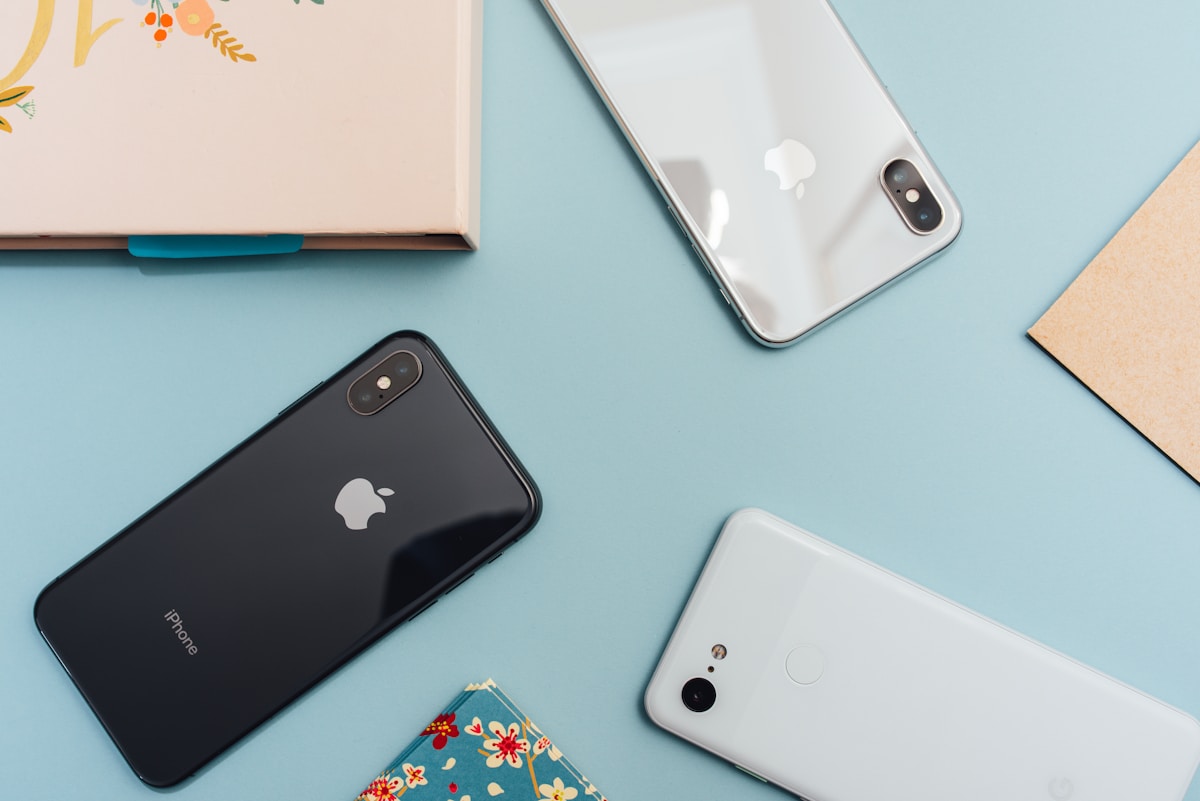
iPhone: iPhone 15 Pro, iPhone 15 Pro Max, iPhone 16, iPhone 16 Plus, iPhone 16 Pro, iPhone 16 Pro Max, iPhone 17 series, iPhone Air
iPad: iPad Pro (M1 and later), iPad Air (M1 and later), iPad mini (A17 Pro)
Mac: All models with M1, M2, M3, or M4 chips including MacBook Air, MacBook Pro, iMac, Mac mini, Mac Studio, and Mac Pro
How to Enable Apple Intelligence
- Update to iOS 18.1+, iPadOS 18.1+, or macOS Sequoia 15.1+
- Navigate to Settings > Apple Intelligence & Siri
- Tap "Join the Waitlist" or "Turn On Apple Intelligence"
- Set device and Siri language to English (U.S.) or other supported languages
- Keep device connected to Wi-Fi and power during initial download
Real-World Applications for American Users
From students summarizing research papers to professionals drafting emails, Apple Intelligence is making AI accessible to everyday users across the United States:
- Business Professionals: Draft and refine emails, summarize meeting notes, and manage priorities with intelligent notifications
- Students: Summarize lengthy academic articles, proofread essays, and organize study materials
- Content Creators: Generate visual concepts, rewrite copy in different tones, and create engaging social media content
- Families: Create personalized Genmoji, generate Memory Movies from family photos, and translate communications

Language Support and Global Expansion
As of January 2026, Apple Intelligence supports English (U.S.), Spanish, French, German, Italian, Portuguese (Brazil), Japanese, Korean, and Chinese (Simplified). Additional language support including Danish, Dutch, Norwegian, Swedish, Turkish, and Vietnamese is rolling out throughout 2026.
For users in the United States, full English language support provides access to all features without restrictions, making it the ideal testing ground for Apple's AI ambitions.
The Future of Apple Intelligence in 2026 and Beyond
Apple continues expanding Apple Intelligence capabilities with each iOS update. Upcoming features expected in 2026 include:
- Advanced Siri 2.0: Fully "agentic" AI capable of executing multi-step tasks
- Live Translation: Real-time FaceTime call translations with audio output
- On-Screen Visual Intelligence: Screenshot analysis with actionable suggestions
- Workout Buddy: AI-powered fitness coaching through Apple Watch integration
- Enhanced Shortcuts: AI-powered automation for complex workflows
Frequently Asked Questions
Is Apple Intelligence free to use?
Yes, Apple Intelligence is completely free with supported devices. No subscription required.
Does Apple Intelligence work offline?
Most features work offline through on-device processing. Complex tasks may require internet connectivity for Private Cloud Compute.
Can I use Apple Intelligence on older iPhones?
No, Apple Intelligence requires iPhone 15 Pro or newer due to the advanced neural engine requirements.
How does Apple Intelligence compare to ChatGPT?
Apple Intelligence focuses on system-wide integration and privacy, while ChatGPT offers more conversational depth. Apple Intelligence includes ChatGPT integration for complex queries.
Is my data safe with Apple Intelligence?
Yes. Most processing happens on-device, and cloud requests use Private Cloud Compute with no data storage and verifiable privacy protections.
Conclusion: AI for the Rest of Us
Apple Intelligence represents a fundamental shift in how Americans interact with technology. By prioritizing privacy, seamless integration, and practical functionality over flashy features, Apple has created an AI system that truly serves everyday users.
As the platform continues evolving throughout 2026, early adopters in the United States are experiencing firsthand how artificial intelligence can enhance productivity without compromising personal privacy. Whether you're drafting your next email, organizing family photos, or simply asking Siri for help, Apple Intelligence is transforming iOS into a genuinely intelligent operating system.
Found this helpful?
Share this comprehensive guide with friends and colleagues who want to unlock the full potential of Apple Intelligence!
📱 💬 📧 🔗